4. Clip spectral analysis
A Clip is used to work with a soundfile within the context of maelzel.core. It can be converted to and from a maelzel.snd.audiosample.Sample and can be subjected to different analysis strategies, both in the time domain (rms, autocorrelation, silence detection, onsets, etc) and the frequency domain (fundamental analysis and transcription, spectral analysis, etc).
One of the most common use cases is to determine the most prominent spectral contents of a sound at a given time. When analyzing a sound, particularly an inharmonic one (a bell, a multiphonic, a low piano note) it might be interesting to analyze its overtones. Extracting overtones of a voice can give important information of its formant structure.
This can be performed with the method chordAt, which analyzes a fragment of the clip and extracts the most prominent frequencies and their corresponding amplitudes
[1]:
from maelzel.core import *
from pitchtools import *
from maelzel.snd.audiosample import Sample
from maelzel.snd import amplitudesensitivity
import numpy as np
import os
end of score.              overall amps:      0.0
           overall samples out of range:        0
0 errors in performance
The pitch attribute is chosen arbitrarily and is only used for notation, it has no implications for playback
[2]:
cl = Clip(os.path.abspath("snd/colours-german-male.flac"), pitch="4E")
cl
[2]:
Clip(source=/home/em/dev/python/maelzel/docs/notebooks/snd/colours-german-male.flac, numChannels=1, sr=44100, dur=10.743, sourcedur=10.743s)
A Clip can be converted to a Sample
[3]:
cl.asSample()
[3]:
10.7, sr=44100, numchannels=1)
When displaying such big chords it is important to customize some settings. In particular displaying cents deviations for all notes in a chord can be visually distracting. Also to make rendering faster we disable enharmonic respelling
[4]:
cfg = CoreConfig()
cfg['show.respellPitches'] = False
cfg['show.centsDeviationAsTextAnnotation'] = False
cfg['chordAdjustGain'] = False
cfg['show.voiceMaxStaves'] = 3
cfg.activate()
4.1. Chord sequence based on overtones
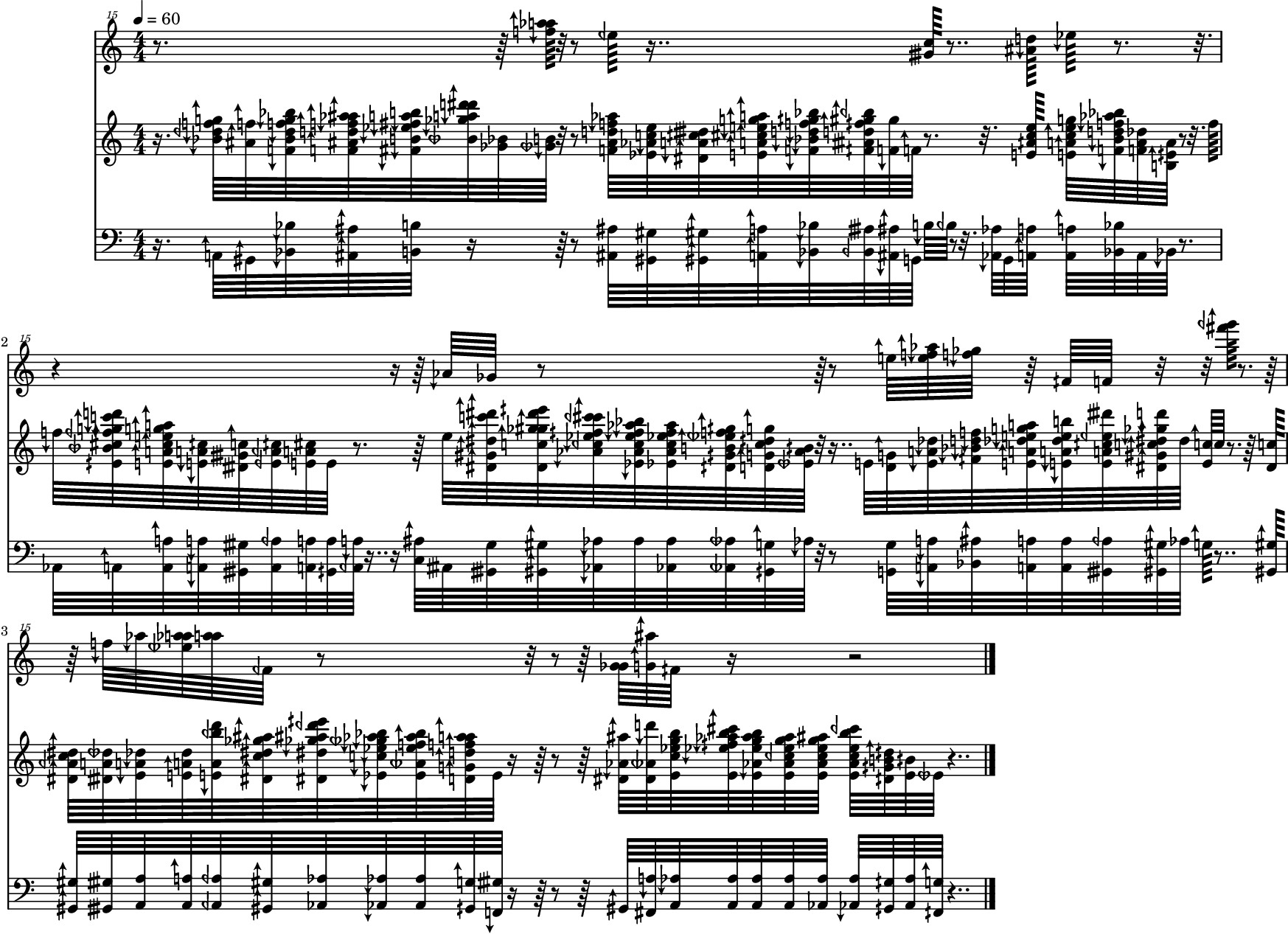
The soundfile is analyzed 16 times per second (see dt). Only components louder than -55dB are taken into consideration. The number of components is further limited by the frequency range. From those components only the 8 loudest are selected and converted to a Chord
[5]:
dt = 1/16
times = np.arange(0, cl.durSecs(), dt)
items = [cl.chordAt(t, mindb=-55, dur=dt, maxcount=8, ampfactor=10, maxfreq=m2f(126), minfreq=40) or Rest(dt) for t in times]
chain = Chain(items)
chain.show()
[10]:
from maelzel.core import plotting

v = chain.asVoice()
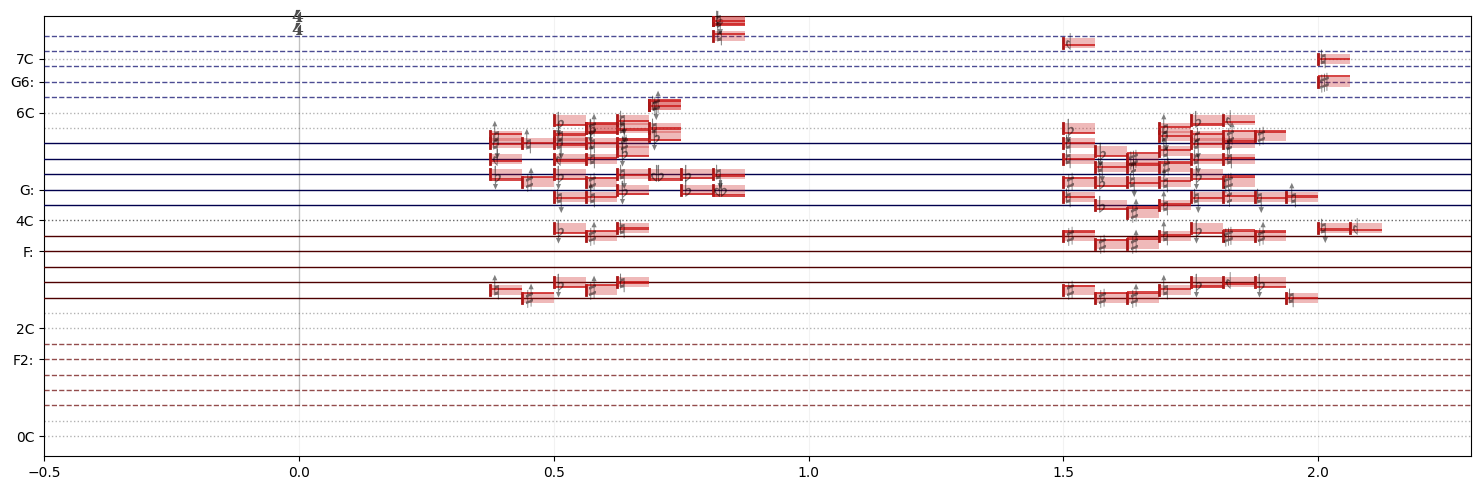
plotting.plotVoices([v.cropped(0.3, 2.3)], accidentalSize=20,accidentalColor=(0, 0, 0, 0.5))
[10]:
<Axes: >
/home/em/.virtualenvs/maelzel/lib/python3.12/site-packages/IPython/core/events.py:82: UserWarning: Glyph 108 (l) missing from current font.
  func(*args, **kwargs)
/home/em/.virtualenvs/maelzel/lib/python3.12/site-packages/IPython/core/events.py:82: UserWarning: Glyph 112 (p) missing from current font.
  func(*args, **kwargs)
/home/em/.virtualenvs/maelzel/lib/python3.12/site-packages/IPython/core/pylabtools.py:170: UserWarning: Glyph 108 (l) missing from current font.
  fig.canvas.print_figure(bytes_io, **kw)
/home/em/.virtualenvs/maelzel/lib/python3.12/site-packages/IPython/core/pylabtools.py:170: UserWarning: Glyph 112 (p) missing from current font.
  fig.canvas.print_figure(bytes_io, **kw)
Synthesizing the chords with a sine tone results in a quite understandable if ‘lo-fi’ rendition
[8]:
chain.rec(gain=0.2, instr='sin', fade=(0.05, 0.05), sustain=0.05, position=0.5)
[8]:
"/home/em/.local/share/maelzel/recordings/rec-2023-11-28T13:17:10.644.wav", 2 channels, 10.35 secs, 44100 Hz)
The same sequence but rendered with a piano as instrument
[41]:
chain.rec(gain=0.2, instr='piano', fade=(0.01, 0.1), sustain=0.2)
[41]:
"/home/em/.local/share/maelzel/recordings/rec-2023-03-21T11:17:00.291.wav", 2 channels, 10.51 secs, 44100 Hz)
A clearer result can be achieved by applying an inverse A-curve amplitude compensation. This makes the sound less saturated and more distinct
[73]:
acurve = ampcomp.AmpcompA()
items2 = [item.copy() for item in items]
for item in items2:
    if isinstance(item, Chord):
        for n in item.notes:
            n.amp *= 1 - acurve.level(n.freq)
            n.amp *= 2

chainA = Chain(items2)
chainA.rec(gain=0.2, instr='piano', fade=(0.01, 0.1), sustain=0.2)
[73]:
"/home/em/.local/share/maelzel/recordings/rec-2023-03-21T11:34:14.942.wav", 2 channels, 10.51 secs, 44100 Hz)
To validate the analysis we can play the generated chords along the original soundfile
[74]:
with render() as r:
    chainA.play(gain=0.5, instr='piano', fade=(0.01, 0.1), sustain=0.2, position=0.75)
    cl.play(position=0.25, gain=0.5, delay=0.05)
r
[74]:
"/home/em/.local/share/maelzel/recordings/rec-2023-03-21T11:34:31.070.wav", 2 channels, 10.81 secs, 44100 Hz)
4.1.1. Chromatic version
It is possible to make a version quantized to the nearest semitone. Notice when listening to the quantized version how the missing glissandi in the voice render the result much further away from the original
[75]:
chain2 = chain.quantizePitch(step=1)
chain2
[75]:
Chain([Rest:0.062♩, Rest:0.062♩, Rest:0.062♩, Rest:0.062♩, Rest:0.062♩, Rest:0.062♩, ‹2A 4Bb 5Db 5F 5G 0.0625♩›, ‹2Ab 4Bb 5F 0.0625♩›, ‹2Bb 3Bb 4F 4Bb 5D 5F 5G 5Bb 0.0625♩›, ‹2Bb 3Bb 4F 4Bb 5D 5F 5Ab 5Bb 0.0625♩›, …], dur=10.75)

[76]:
chain2.rec(gain=0.2, instr='piano', fade=(0.01, 0.1), sustain=0.2)
[76]:
"/home/em/.local/share/maelzel/recordings/rec-2023-03-21T11:34:51.088.wav", 2 channels, 10.51 secs, 44100 Hz)
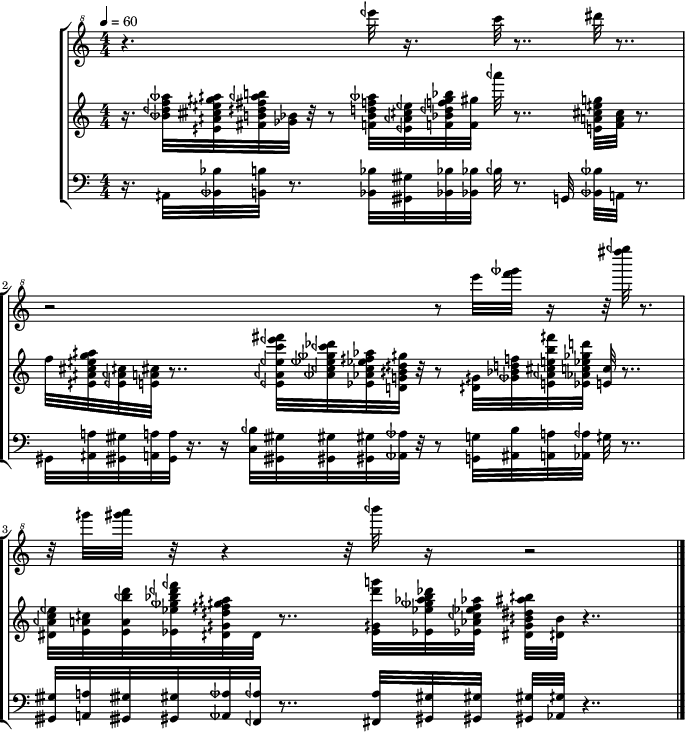
It is also possible to modify the time resolution, to produce other kinds of pixelation. In this case reducing the analysis to 8 times per second makes the rendition hardly recognizable
[77]:
dt = 1/8
times = np.arange(0, cl.durSecs(), dt)
chords = [cl.chordAt(t, mindb=-55, dur=dt, maxcount=8, ampfactor=10, maxfreq=m2f(126), minfreq=40) or Rest(dt) for t in times]
chain3 = Chain(chords)
chain3 = chain3.quantizePitch(step=0.5)
chain3.show()
Just for the sake of variation we can try rendering using an accordion soundfont
[85]:
chain3.rec(gain=0.2, instr='accordion', fade=(0.01, 0.3), sustain=0.3)
[85]:
"/home/em/.local/share/maelzel/recordings/rec-2023-03-21T11:37:05.643.wav", 2 channels, 10.68 secs, 44100 Hz)